When starting to write this article, we asked ourselves what the best-in-class examples are of product-led companies that nailed AI-onboarding.
Surprisingly, there are fewer great examples than you’d think, given that every startup is promoting that they have an AI-native experience. Most times that’s just hype and it doesn’t translate well to the product.
After signing up for hundreds of companies, this was the criteria we looked for to see if a company’s AI-onboarding experience made the cut.
Before we start → I (Wes) am hosting a free, private webinar with Mickey Alon (Marketo, Gainsight, Foldspace.ai) covering AI onboarding in detail on January 28th.
Subscribe to our newsletter to get an invite.
Signs that a SaaS product is nailing AI onboarding
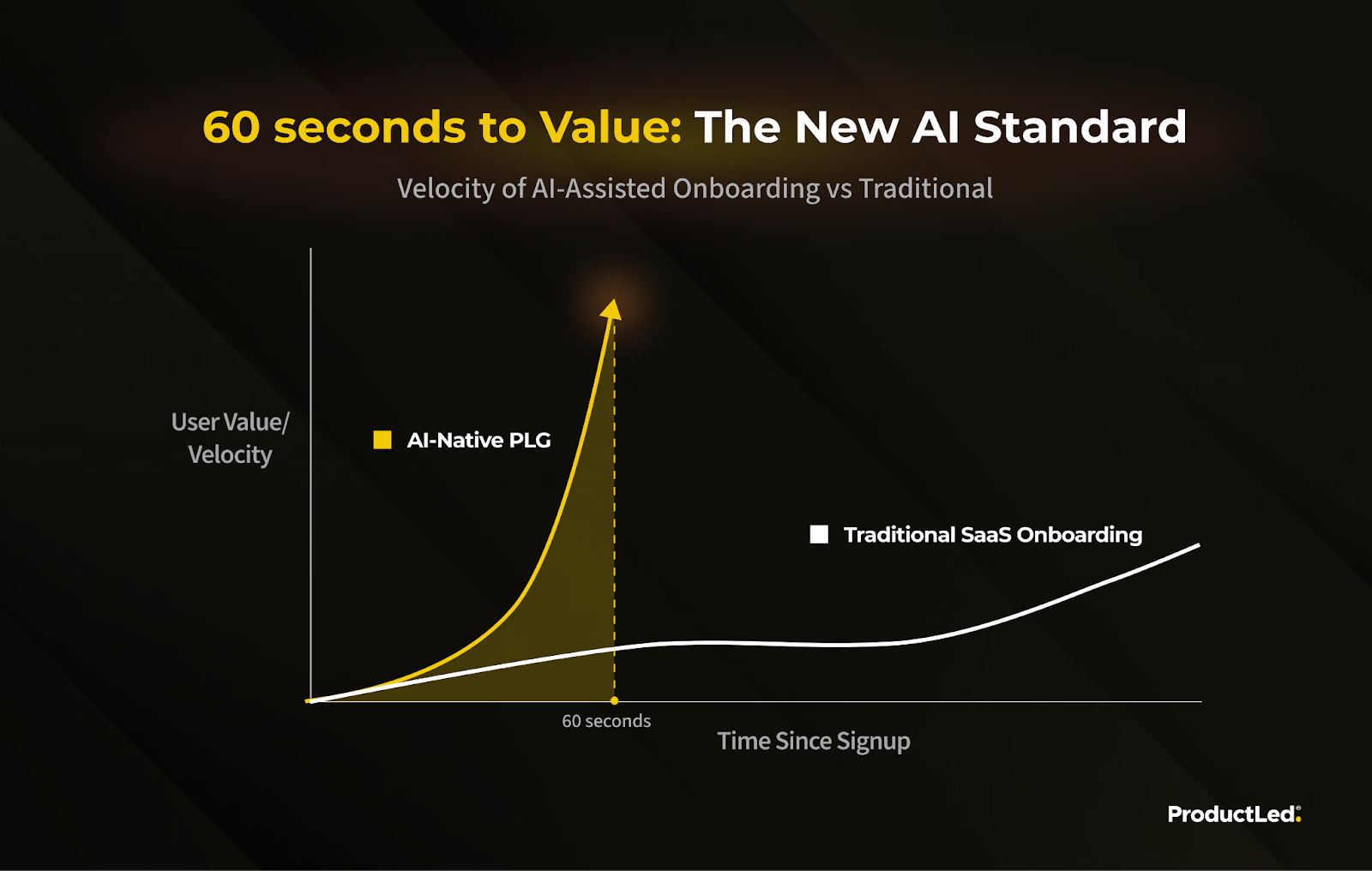
- 60-seconds to value or less - this is the new bar for AI companies. You have just 60 seconds to get users to value or you lose them.
- Low input to great output - this is a basic requirement. Your users want a fantastic output with as little effort as possible.
- Shareworthy experience - the initial first strike in the product is so good, we wanted to share it with others or at least recommend the product to other people.
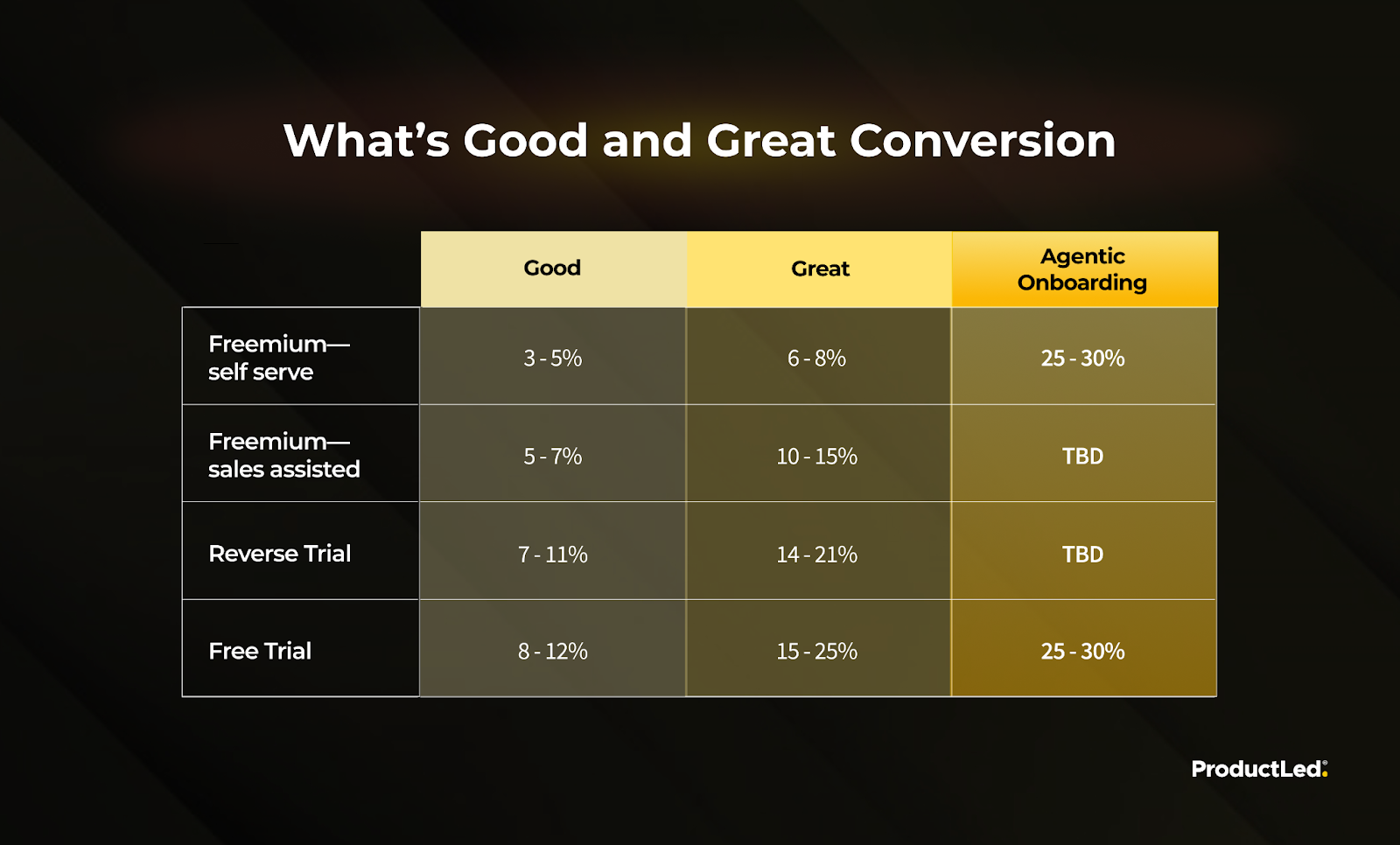
Conversion rates for AI-powered onboarding are way higher
Caveat: If done well.
Second caveat: The jury is still out, as we are yet to have large enough data sets. However, what we’ve gathered from our partners like Foldspace.ai, our own customers, and our PLG audience, is the below.
How to do AI onboarding: doable today vs fantasy
There’s a huge gap between what people say you can do with AI, and the reality of what can be done today.
One thing’s for sure: onboarding is a problem.
We’ve worked with hundreds of SaaS companies at ProductLed, and the vast majority of Growth teams say they’re not activating and converting enough users.
The math is simple.
Faster time-to-value = better activation.
Better activation usually means less churn and more paid users.
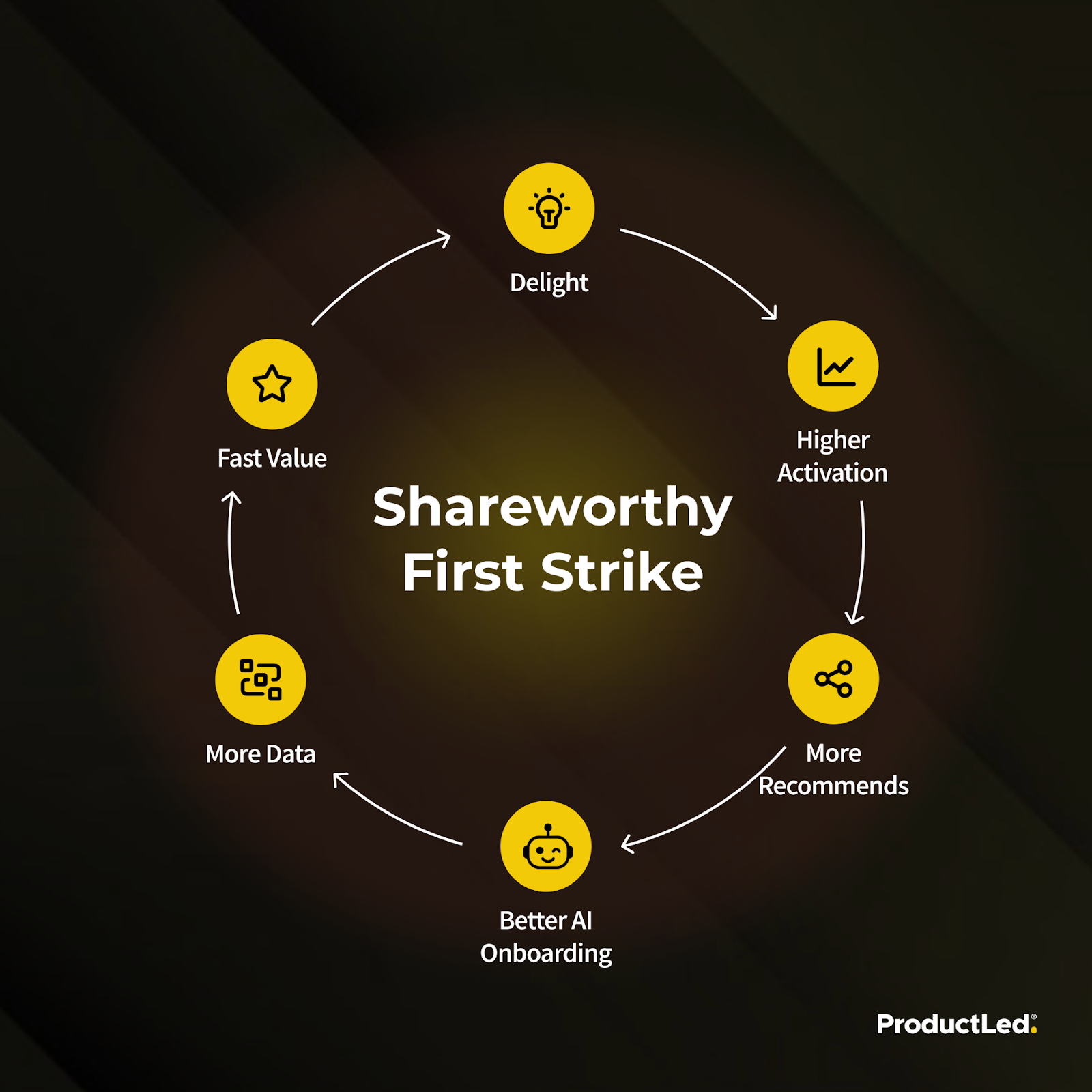
That’s where AI comes in. If utilized correctly (keep reading to learn how), it can shrink time-to-value to seconds instead of minutes!
Going from Educating the user → Educating the agent
Old SaaS world
→ The onboarding experience has tool tips, tutorial videos, hotspots, etc. All are aimed at educating the user about your interface and features.
→ You answer onboarding questions to get a personalized experience in the app.
New SaaS world
→ An AI agent guides you through the onboarding process, or does steps for you, based on your desired outcome.
→ You answer onboarding questions to help the AI understand what you want, and how to best engage you.
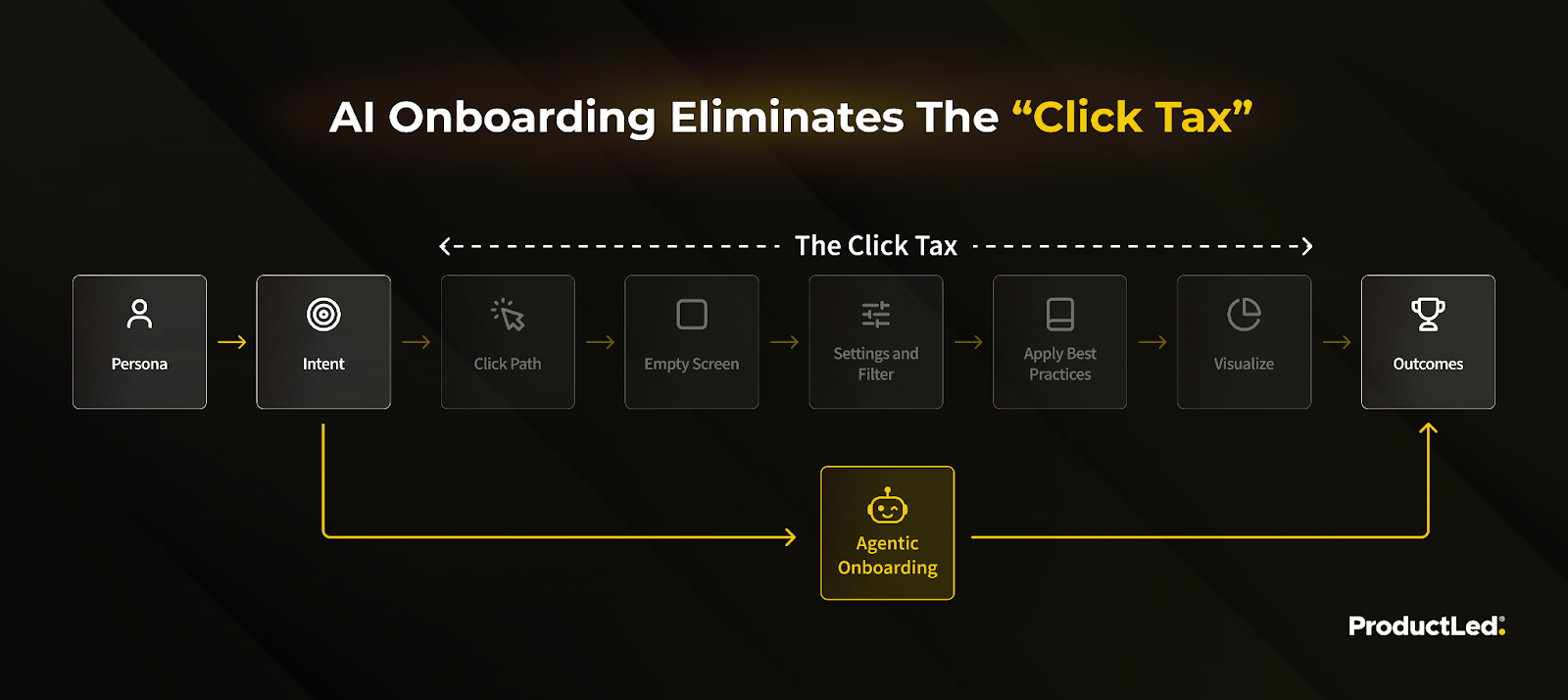
Eliminating the “click tax”
What this transition allows for is eliminating what Mickey Alon from Foldspace calls the “click tax, meaning all in-app actions that don't affect the outcome, but educate you about the product and how to navigate it.
Click tax = all in-app actions that do not directly move the user toward their desired outcome, but instead force them to learn the product, navigate menus, or follow prescribed steps.
Today, AI can do that for you.
A useful mental model
AI in onboarding evolves across 4 levels:
Realistic today
- Inform – explain features.
- Guide – recommend next steps.
- Execute – help do the work.
Haven’t seen examples, but close to reality
- Orchestrate – adapt the system itself.
Most products stop at level 2. The real leverage is 3 and 4.
7 real ways AI can improve your onboarding flow ⤵️
1. AI-driven onboarding personalization (Context before content)
Core idea: Stop giving everyone the same “tour.” Use AI to decide which onboarding flow someone should enter.
How teams use AI
AI can predict user intent by analyzing 👇
- User data (role, company size, tech stack, referral source).
- Tracking data pre-sign up (pages visited, content consumed, clicks, etc.)
- Chatbot interactions pre-sign up (if applicable but likely on the rise) (What has the user asked about?)
- Onboarding data (from initial questions in your onboarding flow)
Outcome
- Beginner → Adapt first steps or recommended templates.
- Intermediate → Send users into completely different onboarding flows.
- Expert → Adapt onboarding paths in real time as usage patterns change.
Examples: Relay.app ingests LinkedIn data to contextually personalize each user’s onboarding
The third step in Relay.app’s onboarding flow is to ask for your LinkedIn profile URL.
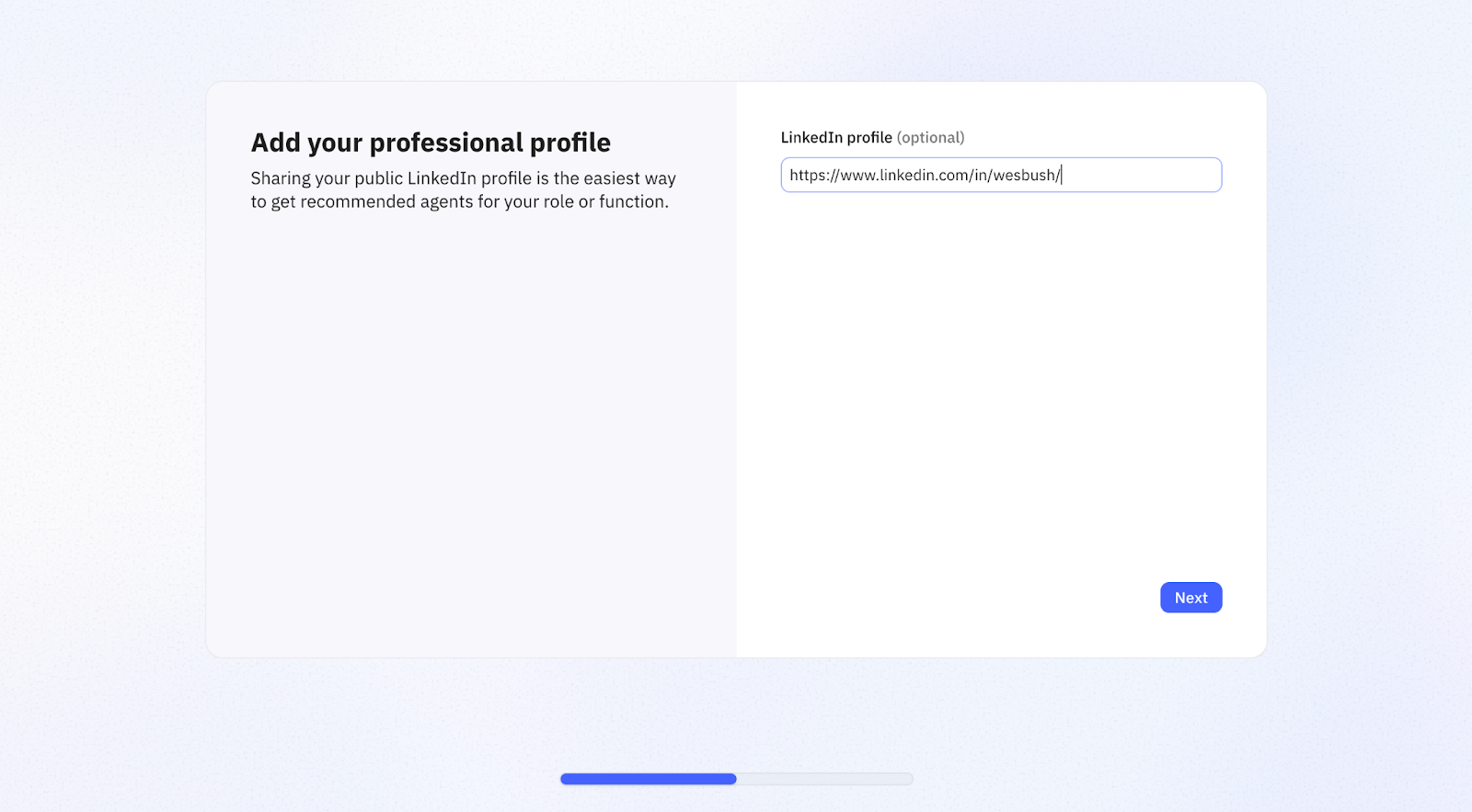
The app’s internal agent then goes to your profile, scans it for context, and uses the insights to personalize your onboarding.
The first subtle way Relay does this is by changing the featured images on this pop-up. Every single agent suggested here aligns with what I’d be interested in building based on my context:
- Busy business owner with a small team
- Very active on social media
- Constantly analyzing the PLG and SaaS market
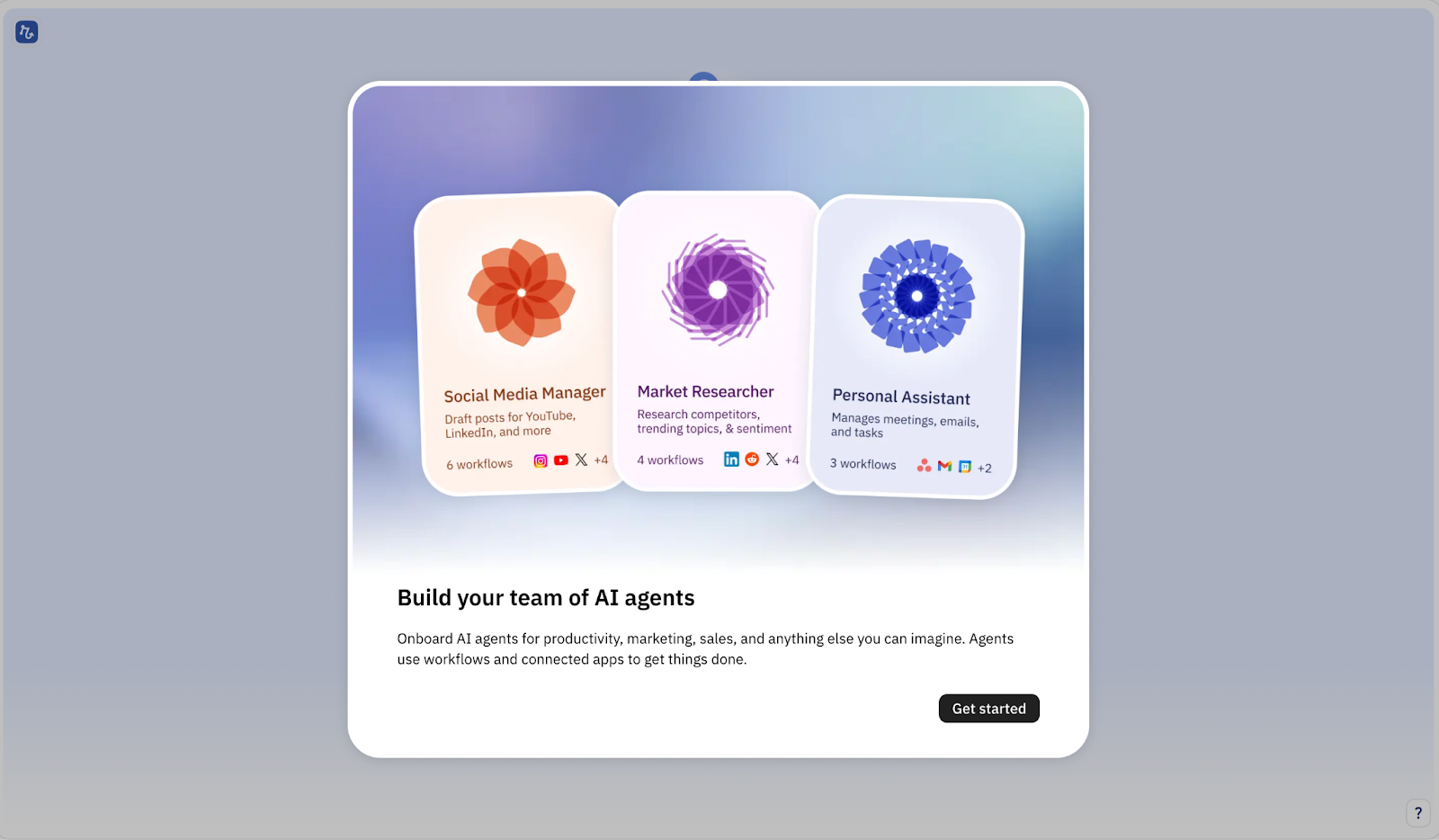
Once you move on to building your agents and pick a topic (i.e. Marketing), the app will make precise AI workflow suggestions based on your onboarding context and profile.
Here, I can either tell Relay what to build, or pick from the templates that the AI selected for me (out of the 1000+ templates they have available).
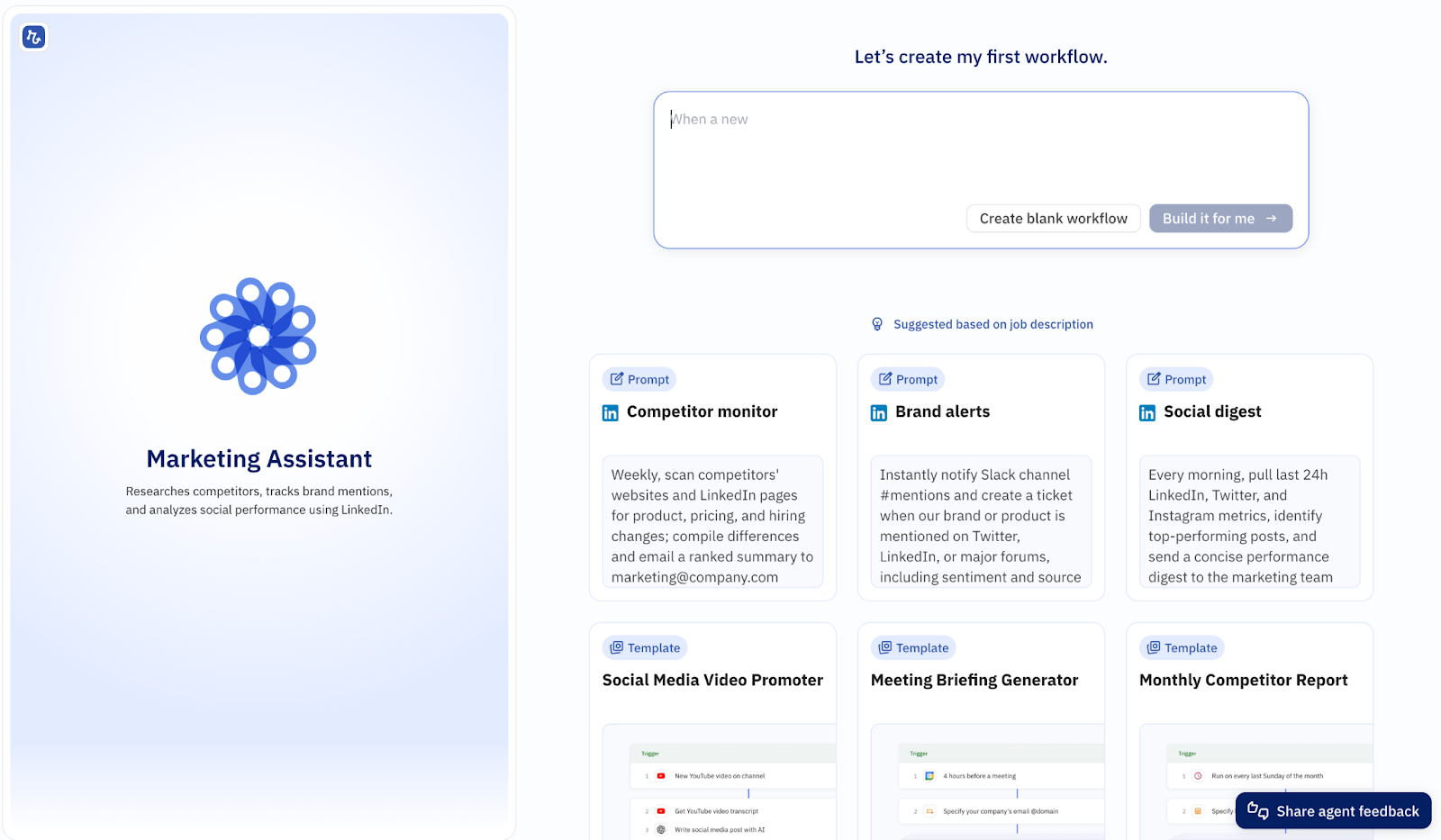
Why this matters
- Reduces time-to-value.
- Prevents feature overload.
- Increases activation by showing relevance immediately.
2. Conversational AI as the primary onboarding interface
Core idea: Replace static walkthroughs with a conversation. Let users describe exactly what they want, and either do it for them or guide them through it.
How teams use AI
- The first screen users get to is an AI chatbot, nothing else.
- In-app AI chat that answers onboarding questions in real time.
- In-product raisers redirect to a conversational AI
Examples: Notion (in-app chat) & Miro (conversational AI as first screen) have both switched to conversational AI onboarding
Notion
If you’re reading this, you probably haven’t signed up to Notion in a while (most folks already have a workspace).
If you had, you’d observe a subtle change that I keep seeing in top PLG products: The onboarding flow is much shorter than before:
- Fewer questions
- Less personalization requests
- Etc.
Notion only asks how you want to use Notion. No other personalization questions.
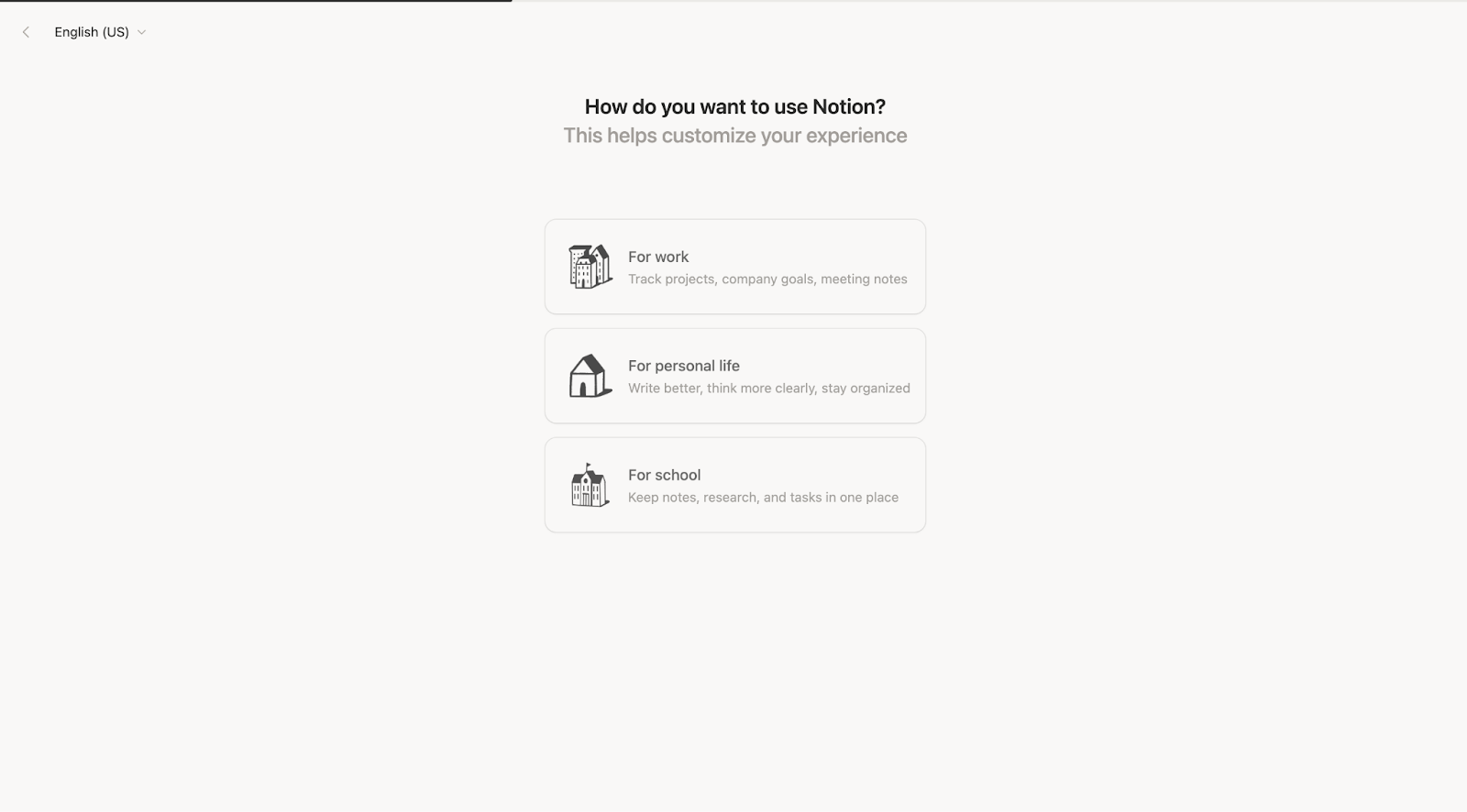
The reason? AI does more of the heavy lifting. They can both get context behind the scenes, and trust the AI agent to onboard you.
When you get to your workspace, the first screen is a checklist with an AI chatbot sidebar ⤵️
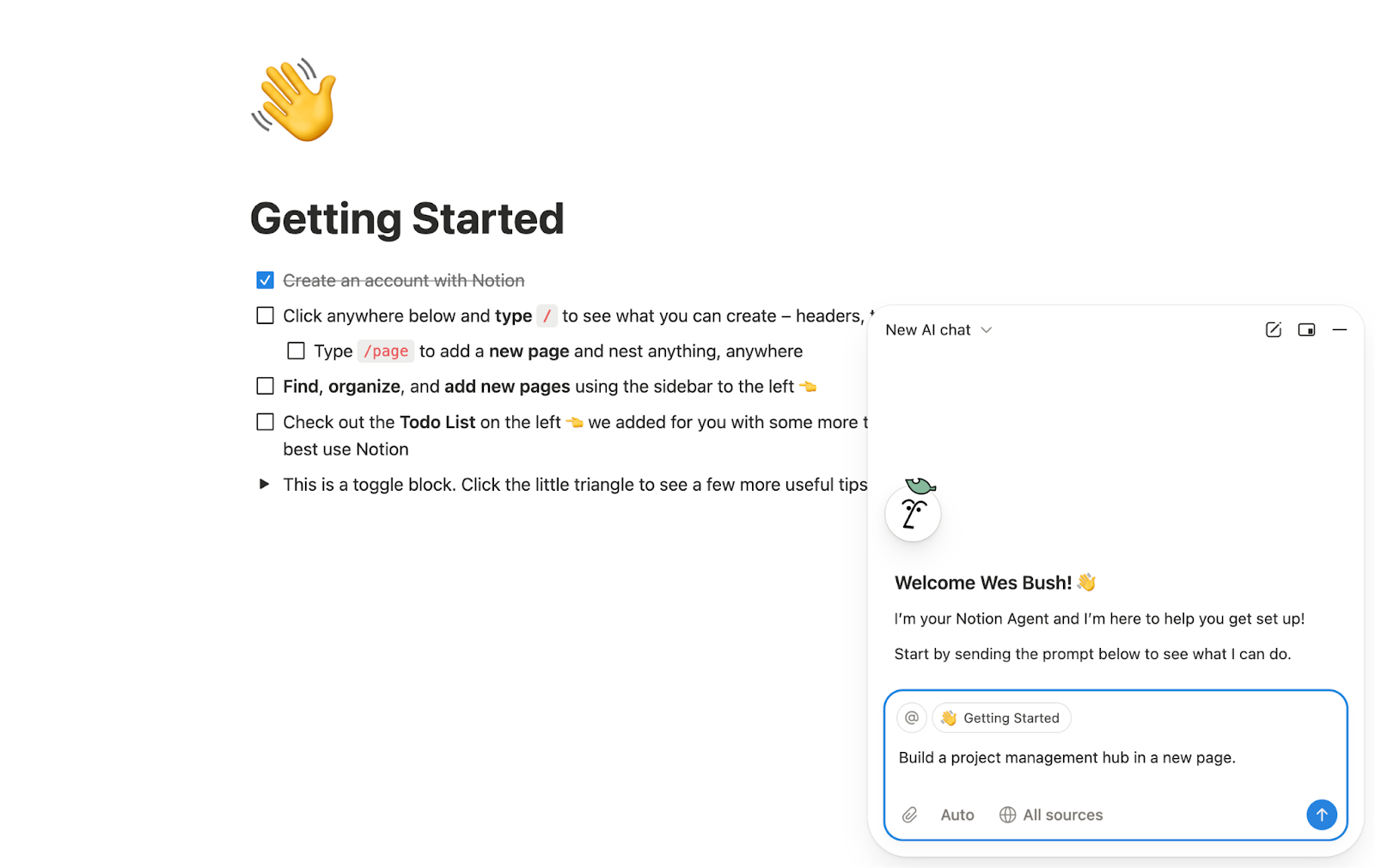
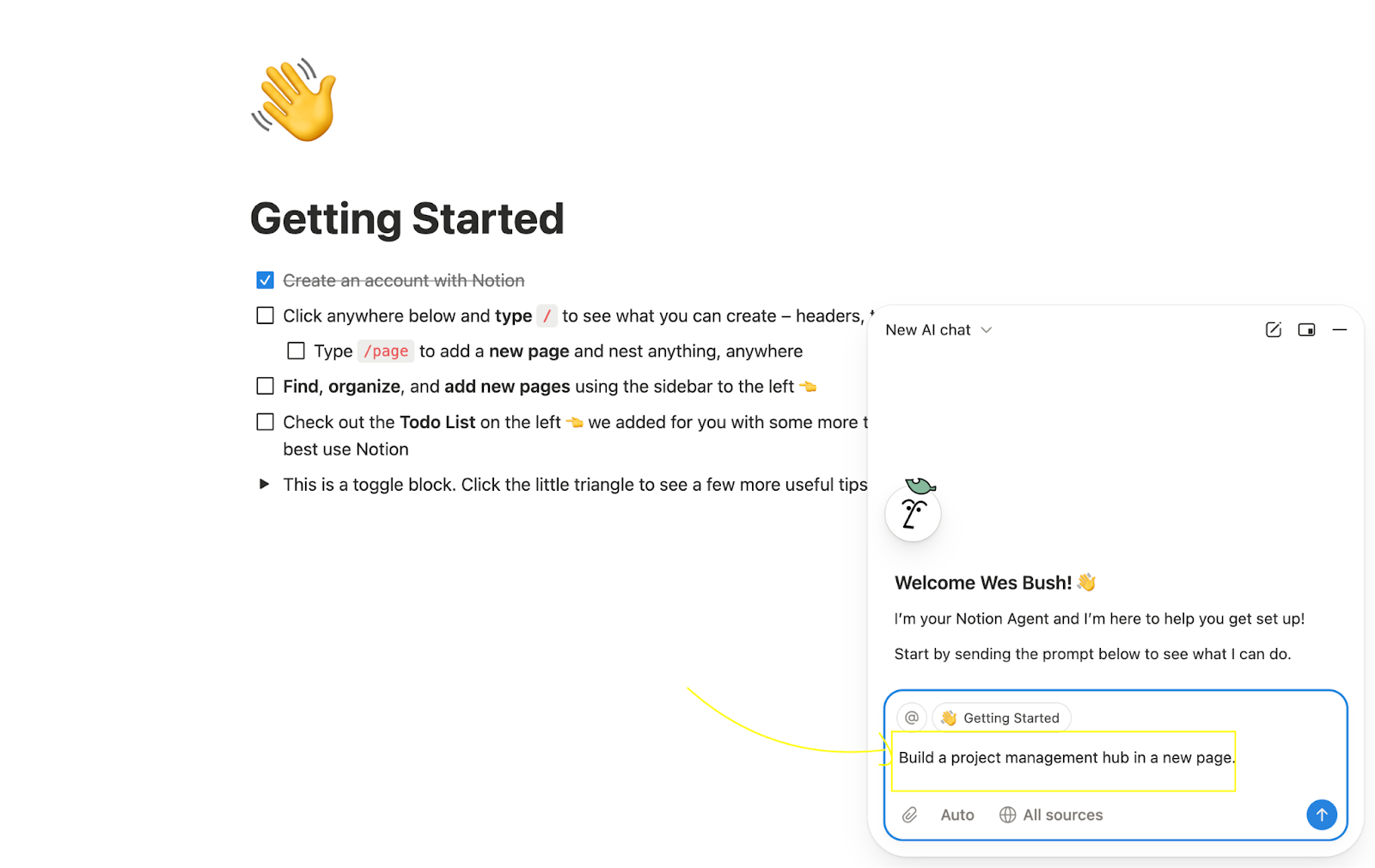
My guess is that they can use AI-insights to update the pre-filled AI chatbot prompt 👇
Miro
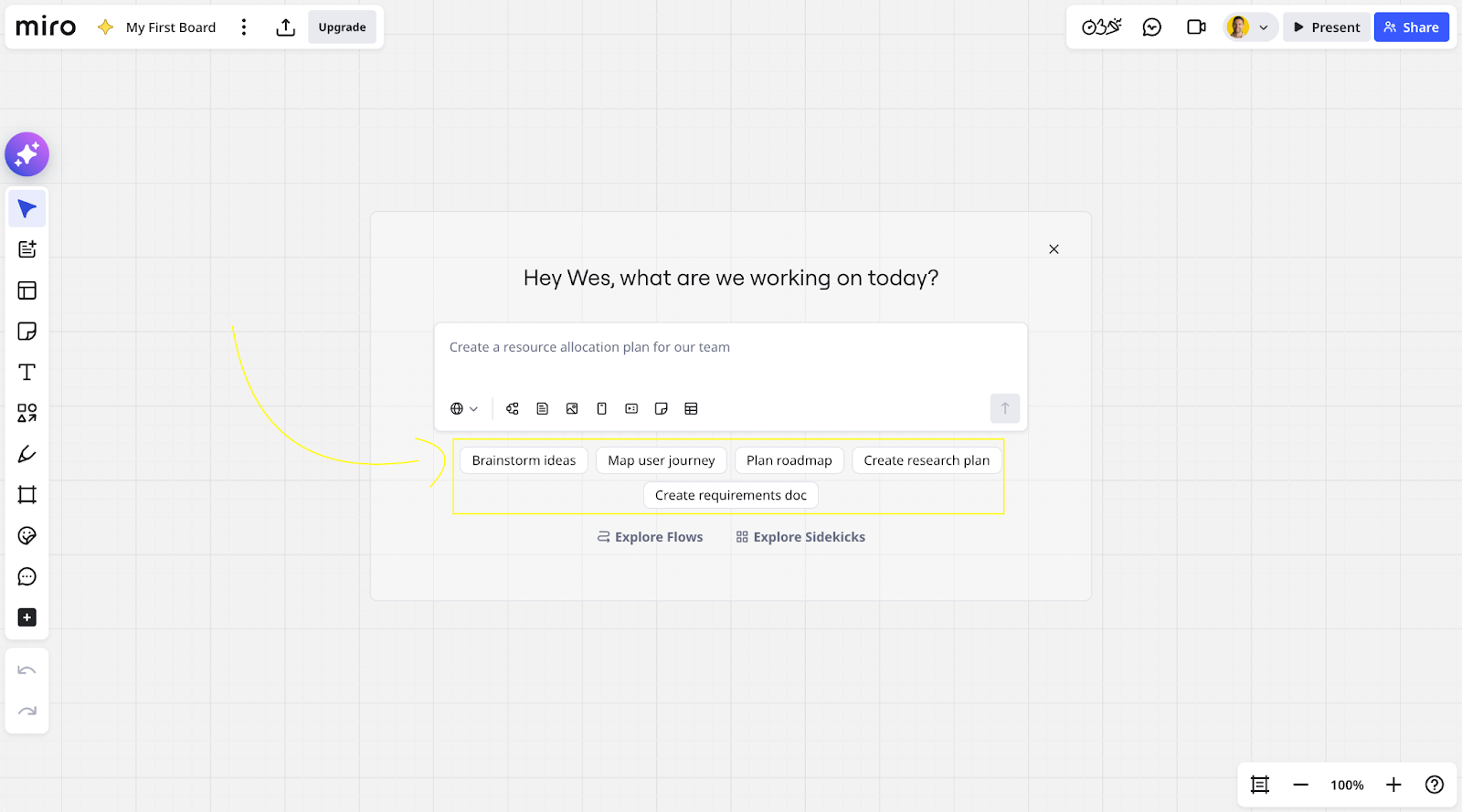
In Miro, on the other hand, the entire first experience with your workspace is an AI chatbot.
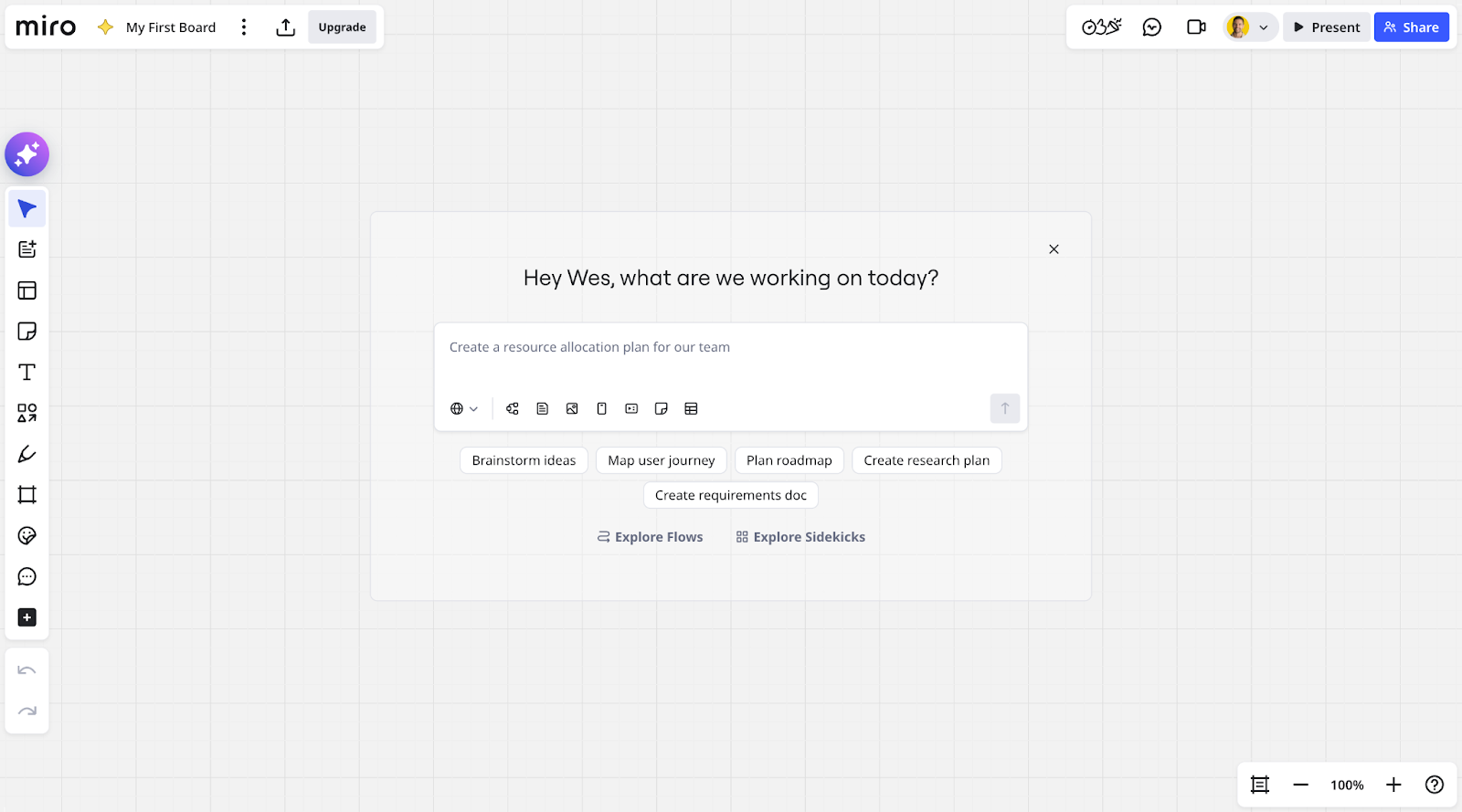
Again, the product’s AI can use onboarding questions to update the clickable AI prompts.
Why this matters
- Users don’t have to read docs.
- Confusions can be addressed extremely quickly.
- AI can handle work as the user onboards (view use case #3 below).
- Scales onboarding without scaling CS headcount (AI agent can handle 98% of cases 24/7, and leave high-complexity tickets to humans).
3. AI-guided task completion (From guidance to execution)
Core idea: AI does the onboarding work for users instead of guiding them through it.
How teams use AI
- Auto-fill setup steps (fields, mappings, configurations).
- Generate first artifacts (dashboards, workflows, reports, prompts).
- Convert natural language into product actions.
Example: Gamma will do the first draft for you within seconds of onboarding
As someone who builds lots of presentations and hates the actual process of writing presentations, Gamma is a godsend.
Once you pass through the onboarding questions, I like how they make it clear where you should start if you’re not sure and they put it in the left-hand side.
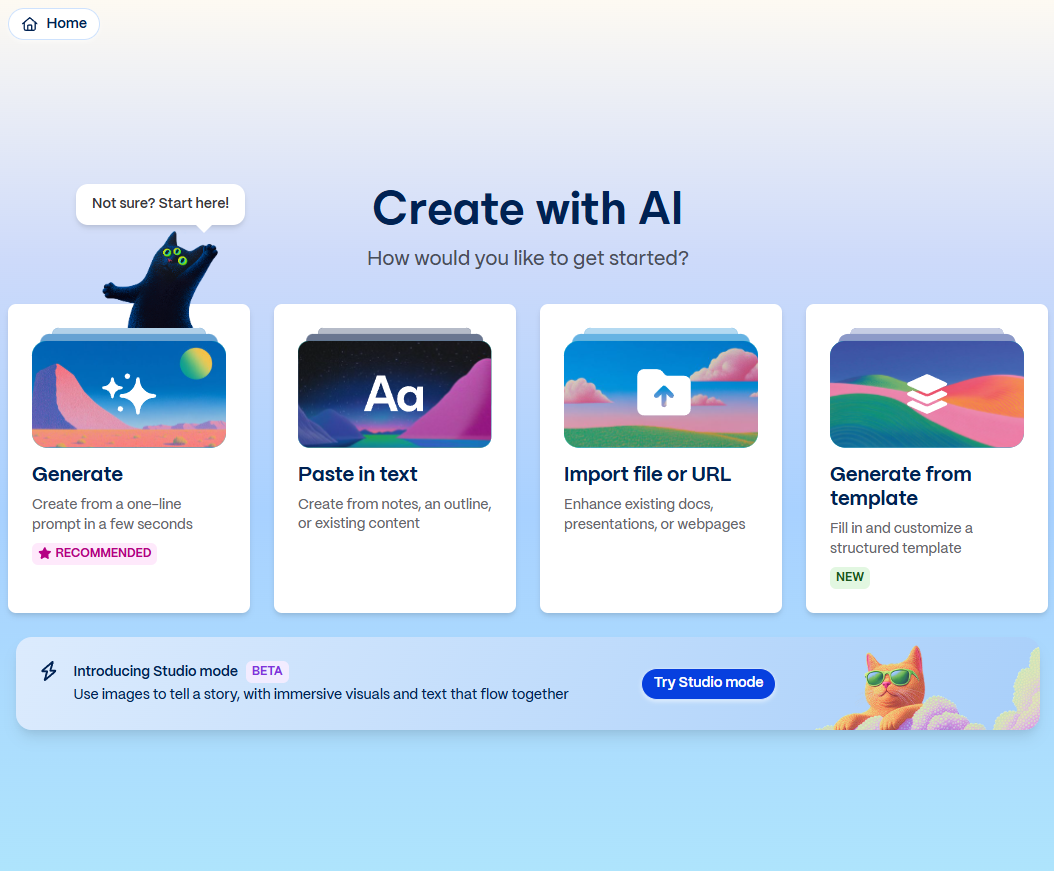
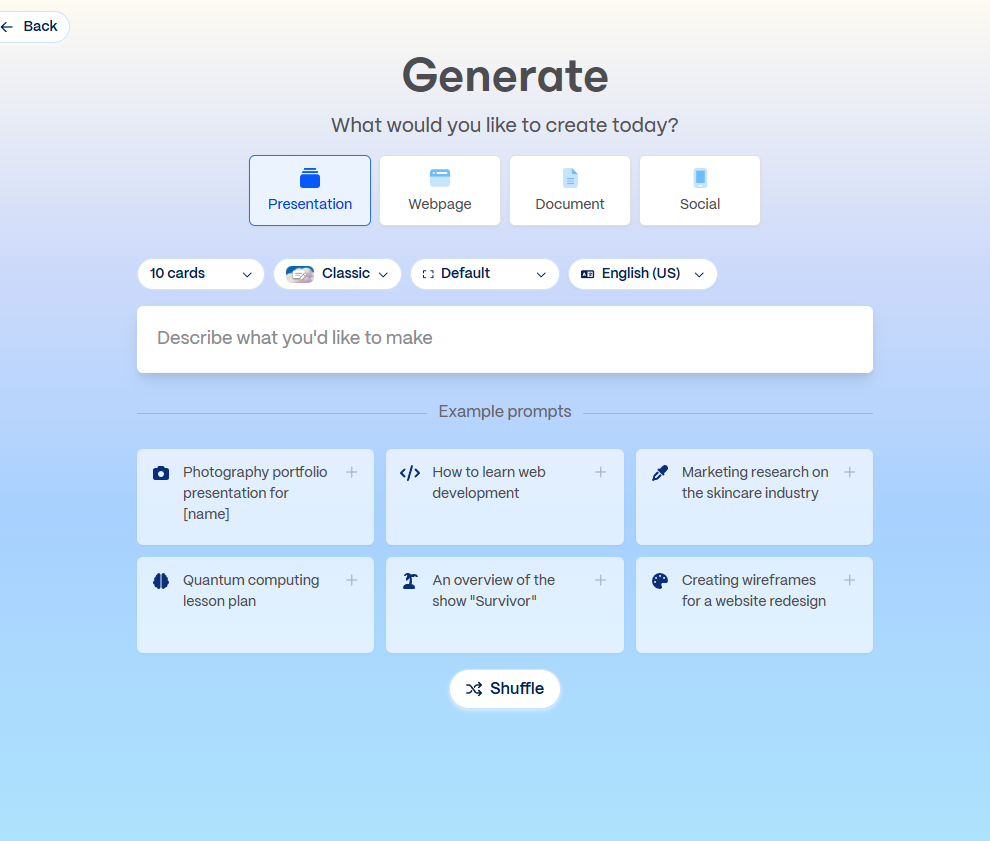
Once I select the recommended option I do get to the generate page where I can share my prompt and get a basic presentation generated.
I love how they have example prompts, though based on the data they have from the profiling questions it doesn’t seem to be customized at all. As a consultant, there’s a few very common types of presentations I make, such as a Workshop/webinar on a topic, client proposals, client roadmaps, etc.
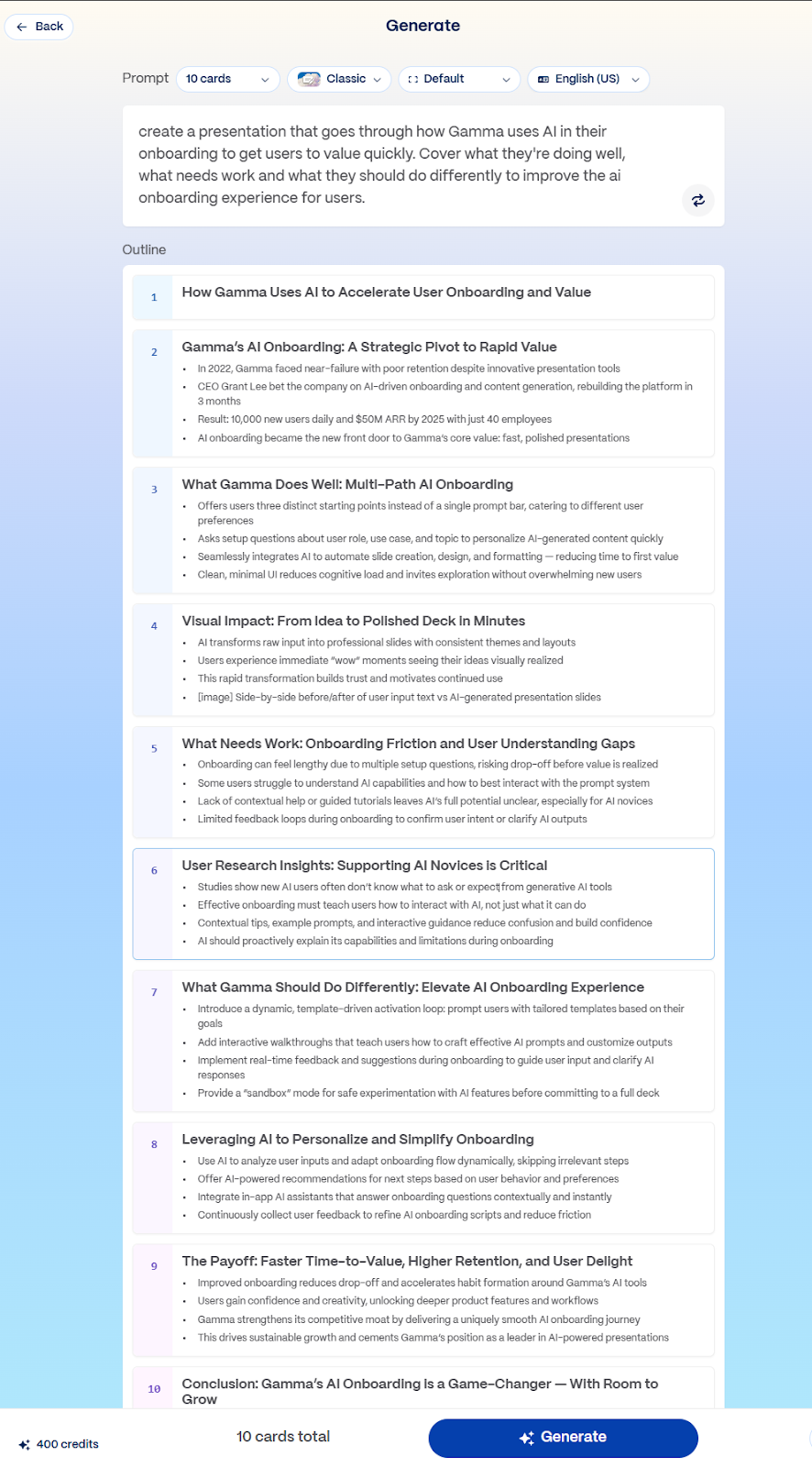
Within seconds, Gamma gives me a 10-card presentation overview that is pretty good.
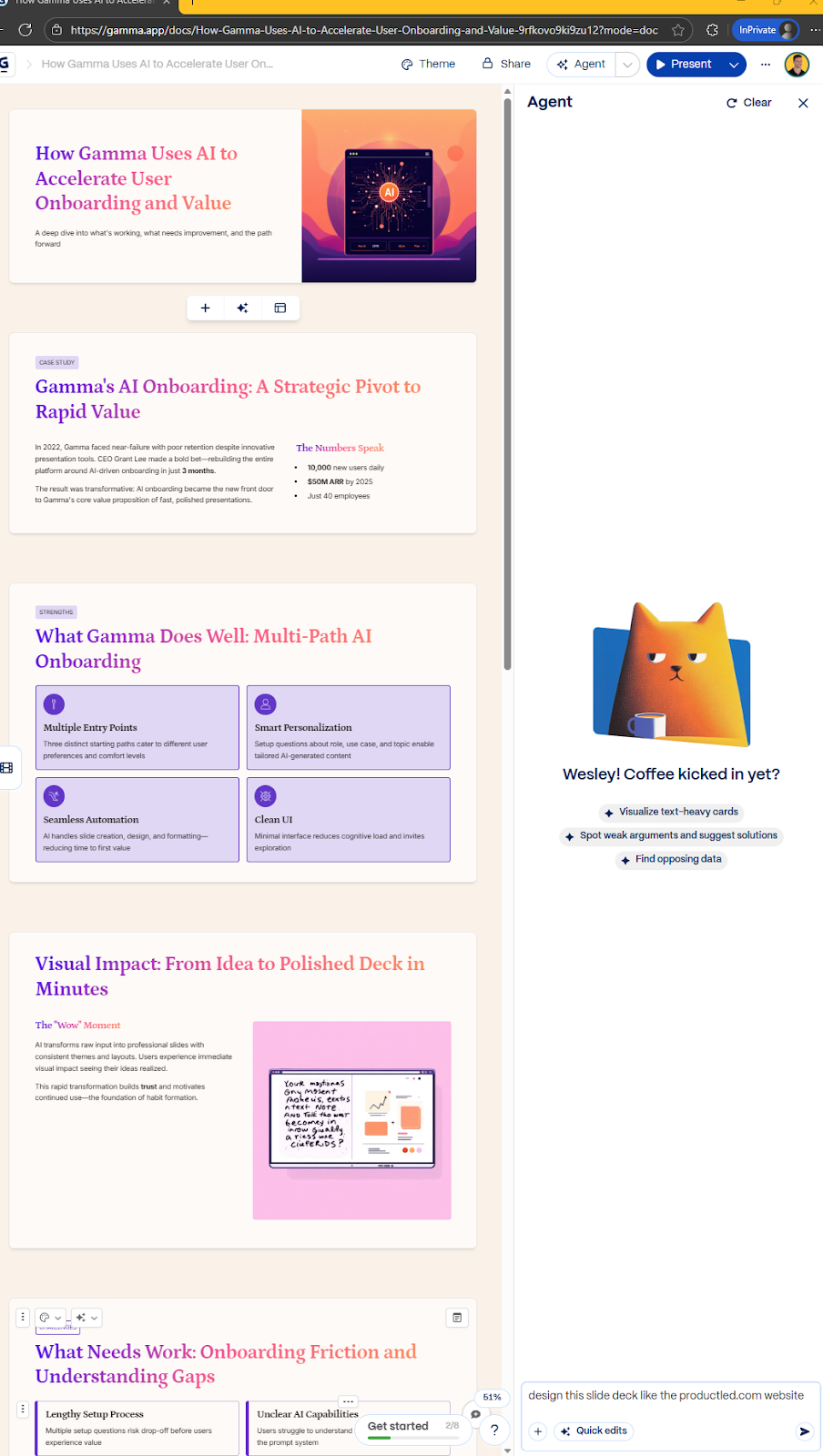
Now one of my favorite parts of this product is the Agent feature. As you onboard past the initial draft stage, you can just open the agent and prompt it with anything to update either the entire deck or each individual slide.
Why this matters
- Eliminates blank-state paralysis.
- Users experience value before learning the tool.
- Shifts onboarding from education to outcomes.
4. Adaptive onboarding based on behavior (Just-in-time education)
Core idea: Onboarding should change based on what users actually do, not what you hoped they’d do.
How teams use AI
- Analyze raw data from analytics tools to detect friction and trigger in-app guidance or hints based on behavior patterns (repeated actions, rage clicks, long pauses). This is best used as a combination of rule-based and AI-analysis.
- Identify stalled users before they churn.
- Identify activation patterns and “value delivery” opportunities.
- Dynamically surface tips, nudges, or alternative paths.
Example: Figma suggests features/plugins/tutorials based on what you’re doing in the canvas
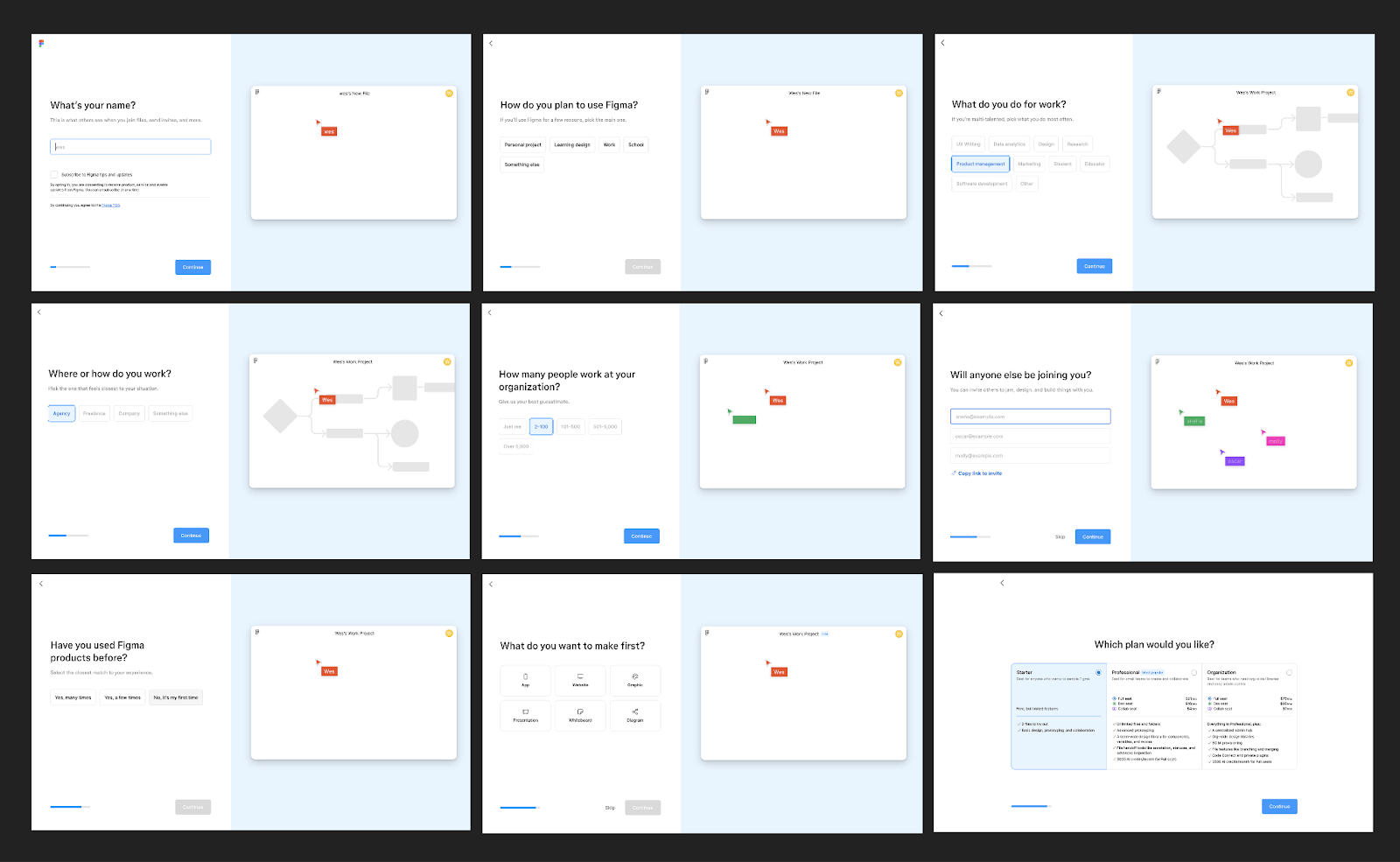
Figma’s use cases are far and wide. To make sure new users quickly get to value, Figma’s onboarding flow has:
- A lot of onboarding questions
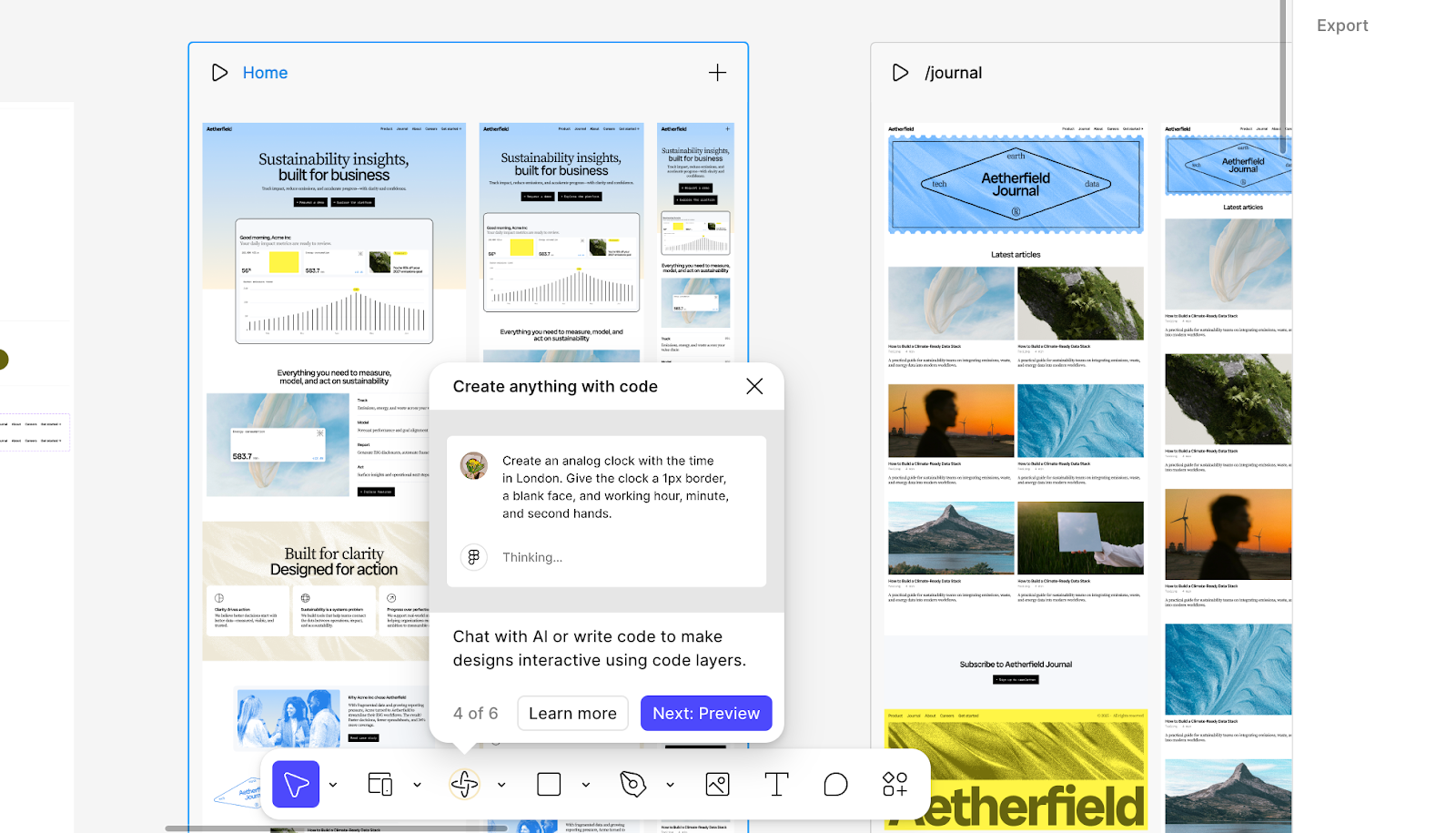
- A combination of deterministic and AI-enabled onboarding tooltips, tutorials, and recommendations that appear based on what people do in the Canvas.
For example, I started working on a website design in canvas and struggling to make edits. The app suggested to switch to Make to have AI do iterations for me 👇
Why this matters
- One-size onboarding fails silently.
- AI adapts without PMs hardcoding rules.
- Keeps advanced users from feeling slowed down.
- Engages users before attention flees.
5. AI for team & multi-user onboarding
Core idea: In many B2B SaaS products, the real onboarding ends when a group of users have gotten to value. AI can help make sure the account activates past the champion user(s).
How teams use AI
- Detect account maturity vs individual user maturity.
- Recommend next steps based on team adoption gaps.
- Generate role-specific onboarding for each teammate.
- Drive key feature adoption for unused features that correlate to high retention.
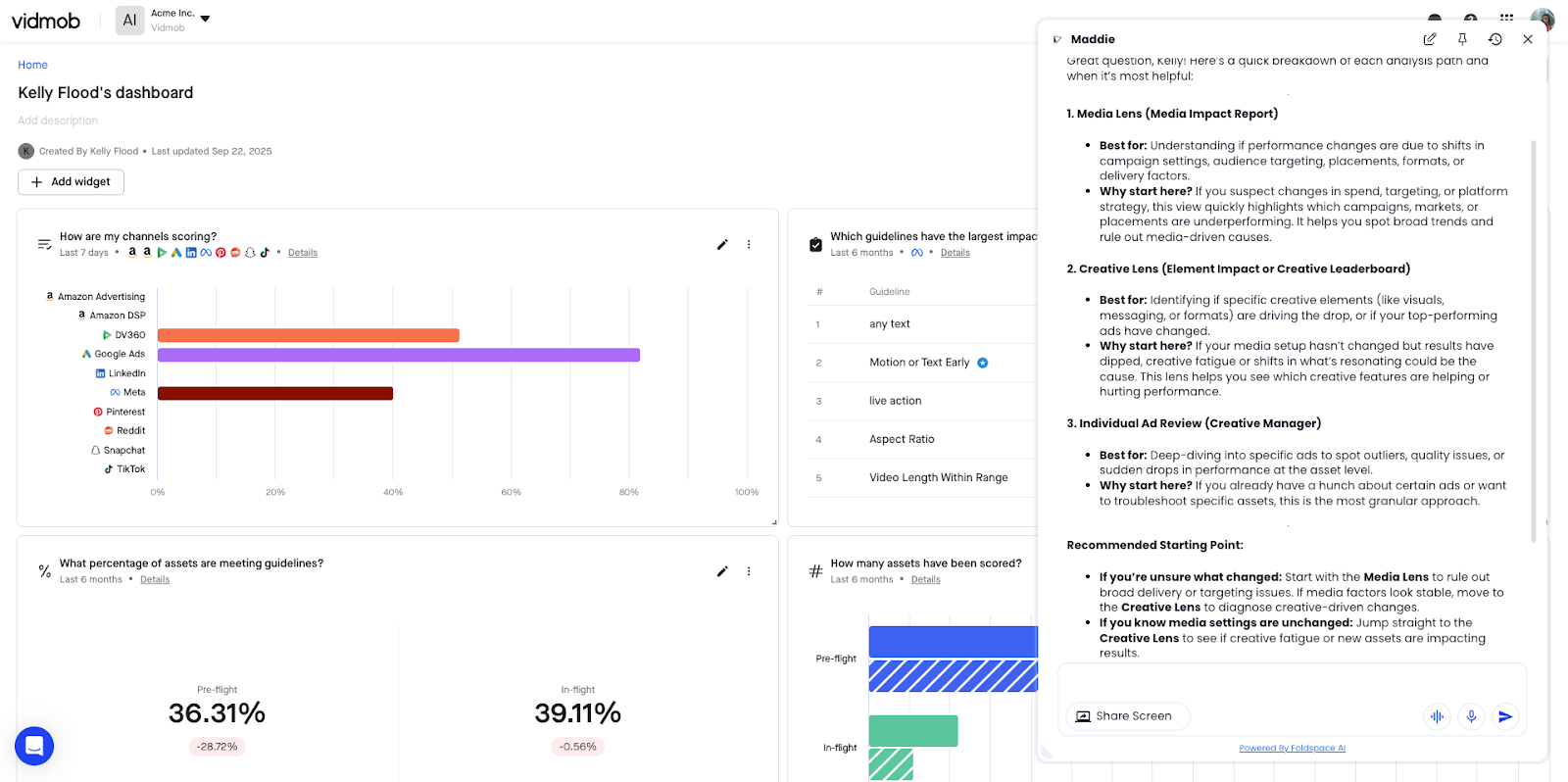
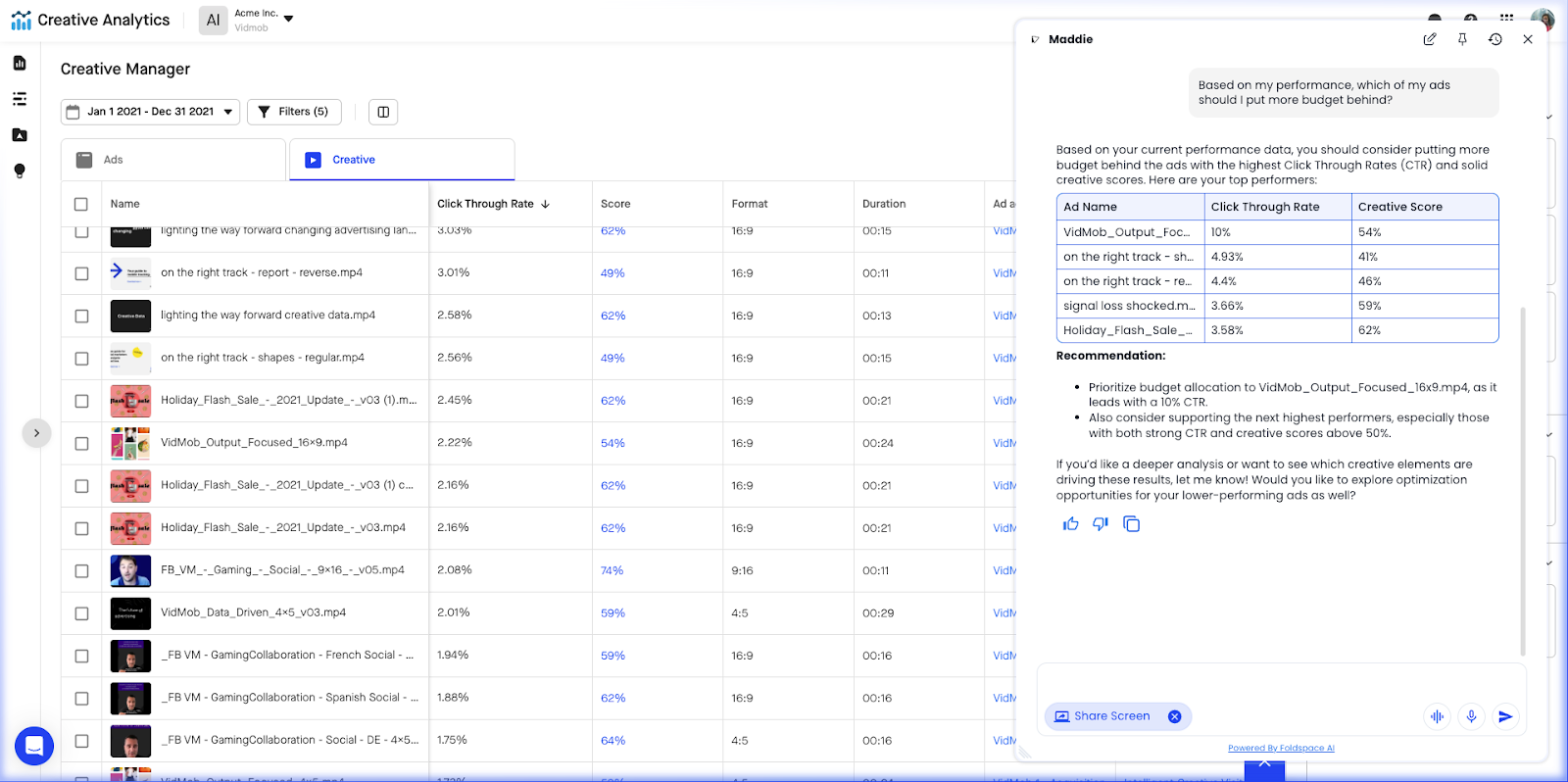
Examples: Vidmob’s AI agent will give tailored recommendations, and perform actions based on user roles and desired outcomes (enabled by Foldspace.ai)
For more complex products, feature adoption may vary by role. Vidmob’s agent can analyze what you’re seeing on screen, and make recommendations based on your progress and assumed desired outcomes. View image below 👇
Once you’re ready to take action, it can handle tasks for you. Again, in context to who you are, and what you might care about ⤵️
Why this matters
- Activation happens at the account level for most B2B products.
- AI helps coordinate adoption without manual CSM work (for low ACV products).
- Makes onboarding feel orchestrated across a longer time frame.
6. AI-enabled feedback loops during onboarding (To both user and internal product team)
Core idea: AI listens while users onboard, and adjusts conversation responses to nudge users to certain paths. Feeds insight back to the internal product team to improve the UX. .
How teams use AI
- Sway conversations to influence specific in-app user behaviour or outcomes.
- Analyze onboarding chat questions for recurring confusion.
- Summarize friction points across cohorts.
- Recommend onboarding changes automatically.
Example: Undisclosed company (Screenshot from Foldspace.ai)
Here the AI considers the product usage context and chatbot interactions to nudge users to certain paths that it knows will increase activation and retention.
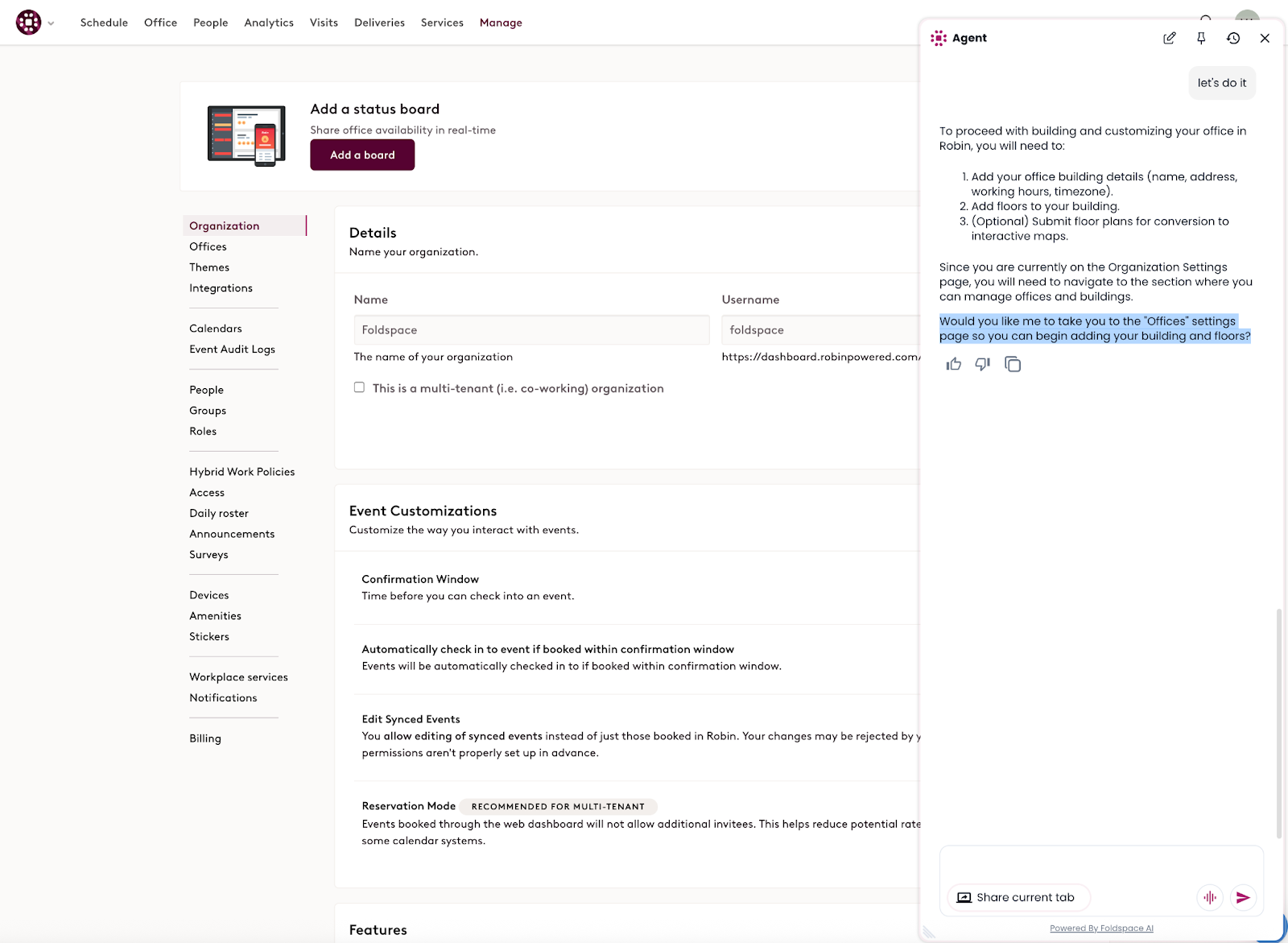
Results from these kinds of “agentic redirects” can be fed back to the product team for UI improvements.
Why this matters
- Turns onboarding into a learning system.
- Shortens feedback loops for PMs.
- Much easier for AI to find insights from raw usage data than humans.
7. AI-enhanced churn prevention (Early churn defense)
Core idea: Onboarding is also about what doesn’t happen.
How teams use AI
- Predict churn risk during the first sessions.
- Trigger intervention flows or prompts automatically.
- Suggest human outreach only when it matters.
Examples: Feeding churn detection signals to your AI onboarding agent
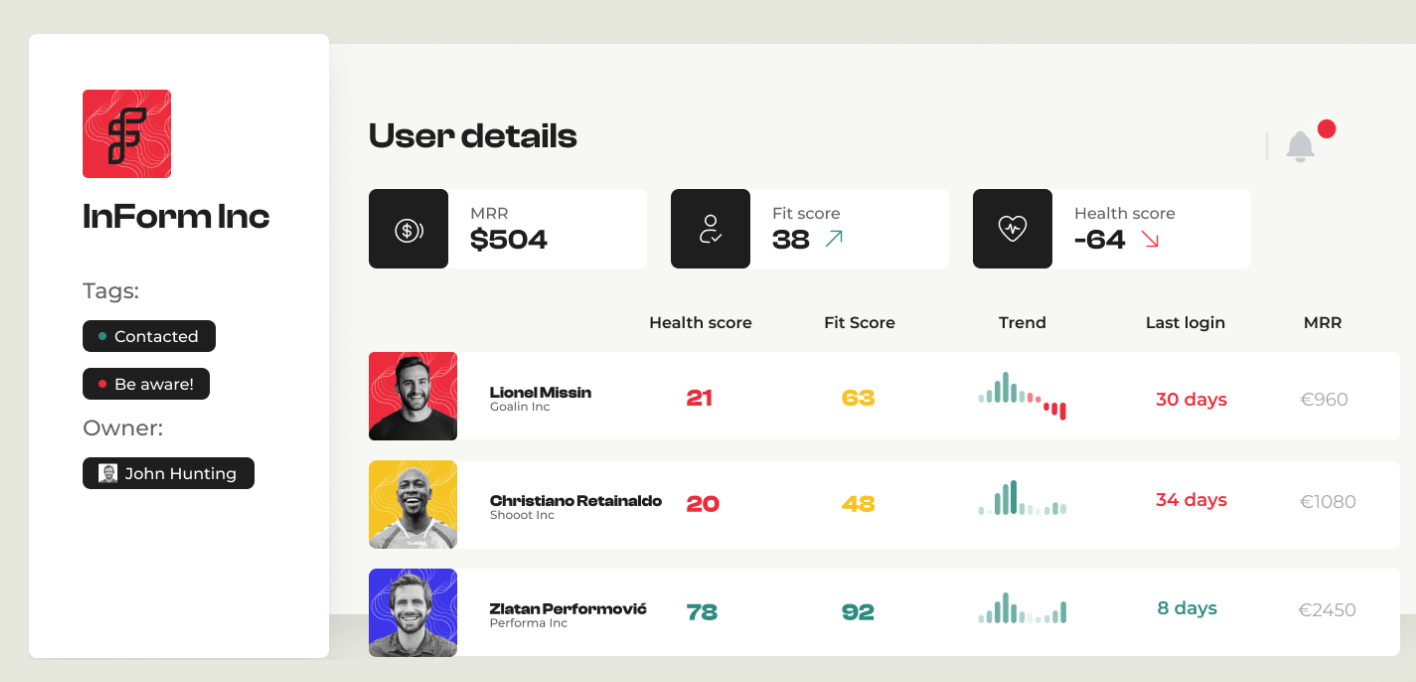
We do not have a concrete example for this one. However, platforms like customerscore.io can flag churn risks based on product usage. That data can be fed to the AI agent in your UI as extra context, to help it tailor experiences and avoid user churn.
Why this matters
- AI catches weak signals humans miss.
- Can trigger intervention flows before it’s too late.
- Preserves CS time for high-impact moments.
Fantasy use cases that are “technically doable”
We haven’t found real examples of these in the SaaS world yet, but they’re technically doable and will start to increasingly show up in Product-Led Growth motions.
AI-generated just-in-time education (Microlearning)
Core idea: Teach only what’s needed, exactly when it’s needed.
How teams use AI
- Generate contextual explanations tied to UI state.
- Summarize docs into one-sentence guidance.
- Explain complex concepts using the user’s own data.
Examples: TBD
- Used to be rules-based, but stronger potential with AI)
- Current live use case: AI chatbot pop-up tied to UI state or error
Why this matters
- Reduces cognitive load on new users.
- Prevents doc-hopping and context switching.
- Can be leveraged to speed up team expansion (preventing similar issues with new users without the same account).
AI as the onboarding orchestrator (Meta layer)
Core idea: AI coordinates all onboarding systems instead of adding another one.
How teams use AI
- Decide when to show tours vs chat vs emails.
- Coordinate in-app, email, Slack, and human touchpoints.
- Optimize onboarding flows across channels.
Constraints
This is very hard to orchestrate, but is doable. The common issue we see with PLG companies is data quality and a lack of connections between systems.
Why this matters
- Prevents over-onboarding.
- Aligns product, lifecycle, and CS motions.
- Feels intentional instead of spammy.
Working on your onboarding? A few resources to help ⤵️
- Read chapter 5 of the ProductLed Playbook (Frictionless onboarding)
- If you want the full system for building a product that grows itself, read Product-Led Growth: How to Build a Product That Sells Itself
- Get the ProductLed Playbook (Free) to master the fundamentals of PLG
- Product-Led Onboarding by Ramli John, the deep dive on getting users to value fast
- Ask Wes to teardown your company
- Book a 1:1 call with a PLG expert (must be above $1M of ARR)
- Check out the ProductLed PLG System for a clear, step-by-step plan to grow faster
- Get the ProductLed MBA
- Sign up for our Newsletter for weekly tips and ideas to scale smarter